Choosing the right WordPress hosting for your small business can feel like a maze. If you want the short answer, it really boils down to your technical skills, budget, and where you see your business going. Shared hosting is a great starting point for brand-new sites, Managed WordPress hosting is perfect for owners who want speed and security without the technical headaches, and a Cloud VPS gives growing businesses the power to scale.
Why Your Hosting Choice Matters
Think of your hosting as the digital foundation of your business. It's what determines your site's speed, how secure it is from threats, and whether it can handle a sudden rush of customers. Getting this right from the start saves you from future headaches like slow performance, security breaches, and painful migrations. It's the difference between a website that helps you grow and one that actively holds you back.
Before diving deep, it’s worth getting a bird's-eye view of the market. Exploring a guide on the overall best hosting for WordPress can give you a solid frame of reference for what's out there.
The Power of WordPress for Business
The sheer dominance of WordPress is why specialized hosting is even a thing. As of 2025, WordPress powers an incredible 43.5% of all websites on the internet—that’s over half a billion sites. Among sites that use a known CMS, it holds a whopping 61.7% market share, leaving competitors in the dust. This popularity has pushed hosting companies to create finely tuned solutions just for WordPress, which is great news for small businesses. You can dig into these WordPress market share statistics if you want to see the full picture.
Choosing a host isn't just a technical decision; it's a business strategy. The right hosting partner acts as a silent growth engine, ensuring your site is fast, secure, and ready for customers 24/7.
To make things a bit clearer, I've put together a quick table to help you see where you might fit.
Quick Guide to WordPress Hosting Types
This table breaks down the main hosting categories at a glance. Think of it as a starting point to figure out which direction you should be looking.
| Hosting Type | Best For | Typical Price Range | Technical Skill Required |
|---|---|---|---|
| Shared Hosting | New blogs, portfolios, and businesses on a tight budget just starting out. | $3 – $15 / month | Low |
| Managed WordPress | Business owners who value speed, security, and expert support without the hassle. | $20 – $60 / month | Low |
| Cloud VPS | Tech-savvy businesses needing full control, dedicated resources, and high scalability. | $10 – $100+ / month | Medium to High |
Each of these options serves a very different need, so let's break them down in more detail.
A Practical Comparison of Hosting Options
Picking the right WordPress hosting for a small business isn't just about price. It's about finding the right tool for the job—a tool that matches your business goals, your comfort level with tech, and your plans for the future. Let's get past the marketing fluff and look at what each hosting type actually means for your day-to-day.
Shared Hosting: The Entry Point
Shared hosting is where most people start, and it’s easy to see why: it's dirt cheap. Think of it like living in a big apartment building. You get your own space, but you're sharing utilities like electricity and water with all your neighbors.
This keeps costs down, but it has one major flaw—the "noisy neighbor" effect. If another website on your server gets a massive traffic spike or, worse, gets hacked, your site can slow to a crawl or go down completely. For a small business, that means your online shop could shut down without warning.
It's fine for a personal blog or a site that's not live yet, but for an active business, you're essentially gambling on your neighbors' good behavior.
Managed WordPress Hosting: The Hassle-Free Solution
Managed WordPress hosting is like moving into a full-service condo. You still have neighbors, but the building management handles all the maintenance, security, and upkeep. It’s a service built specifically for WordPress that takes all the technical headaches off your plate.
With a managed host, you get:
- Automatic Updates: They handle WordPress core, theme, and plugin updates for you, keeping security holes patched.
- Proactive Security: These guys actively scan for malware and have robust firewalls in place to keep threats out.
- Expert Support: Their support staff are WordPress pros, not generalists, so they can actually solve your problems quickly.
- Performance Optimization: Servers come pre-configured for WordPress speed, often with features like built-in caching.
Yes, it costs more, but for a business owner whose time is money, it’s a no-brainer. You're not just buying server space; you're buying a team to keep your site fast, secure, and online. If you're looking at popular options in this space, our guide to SiteGround alternatives is a good place to start.
For most non-technical small business owners, managed hosting offers the best balance of performance and simplicity. It frees you to focus on growing your business instead of becoming a part-time server administrator.
This infographic breaks down the key differences between the most common hosting types.
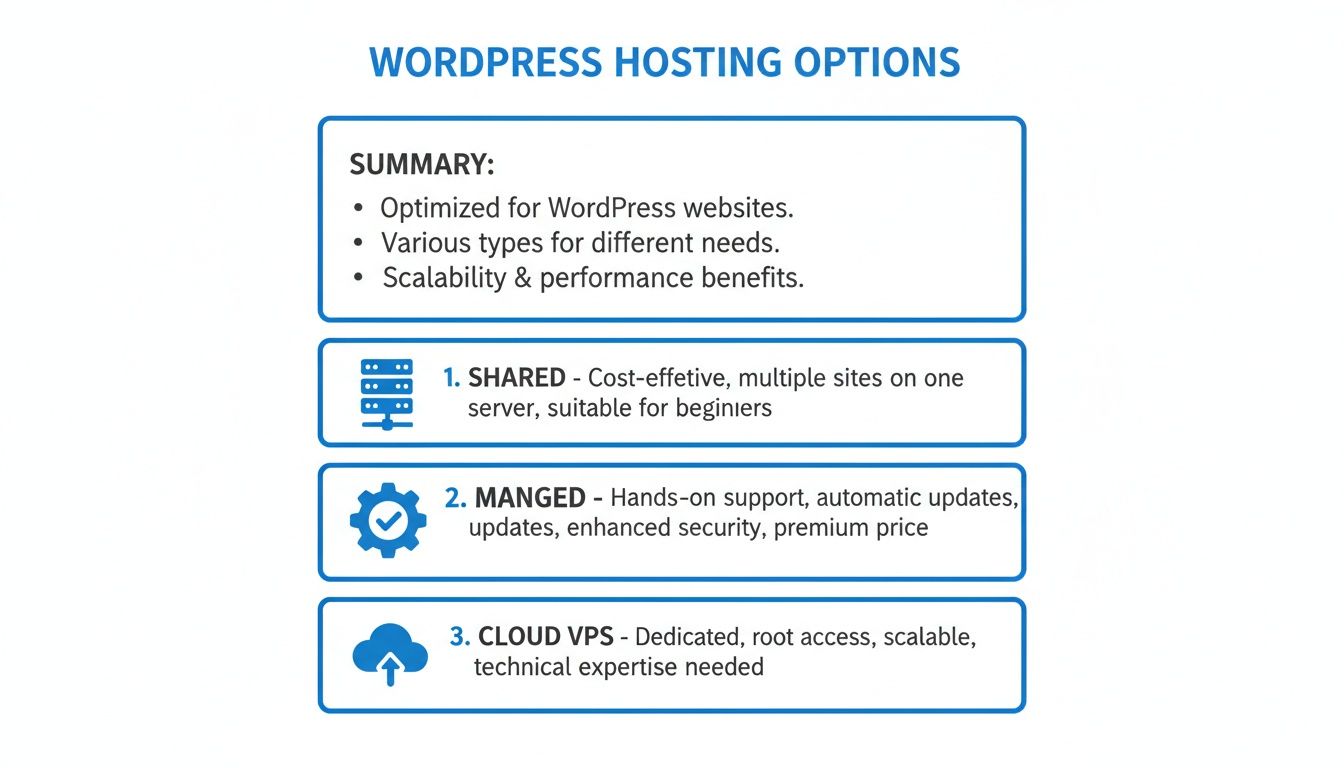
As you can see, the choice you make directly impacts performance, how much control you have, and the technical skills you need.
The table below gives a more detailed look at how each option stacks up against the critical needs of a small business.
Hosting Type Feature Comparison for Small Business Needs
| Feature | Shared Hosting | Managed WordPress | Cloud VPS (Unmanaged) | Managed Cloud (via WPJack) |
|---|---|---|---|---|
| Performance | Inconsistent due to shared resources. The "noisy neighbor" effect is a real risk. | Optimized for WordPress with caching. Generally fast and reliable. | Excellent and consistent. You have dedicated resources. | Top-tier performance with dedicated cloud resources and optimized stacks. |
| Security | Basic. You are mostly responsible for your own site's security. | Proactive and robust. Managed firewalls, malware scanning, and updates. | Your responsibility. You must configure firewalls, updates, and patches yourself. | Managed security with automated updates, firewalls, and server hardening. |
| Backups | Often included, but restoration can be slow or manual. | Automated daily backups with simple one-click restores. | DIY. You must set up and manage your own backup system. | Automated, scheduled backups with easy one-click restoration. |
| Scaling | Very limited. Traffic spikes can easily take your site down. | Can handle moderate traffic spikes, but scaling is often limited by plan tiers. | Highly scalable. You can add more CPU, RAM, and storage on demand. | Instantly scalable. Built for growth without any downtime. |
| Cost | $5-15 / month | $25-100 / month | Starts around $5-10 / month, but requires your time. | Starts around $10-20 / month for the server and platform. |
| Support | General support, not WordPress experts. Can be slow. | WordPress experts available 24/7. Fast and knowledgeable. | Server support only (hardware/network). No help with software or your site. | Expert support for both the platform and server-level issues. |
This comparison makes it clear: what you save in money on cheaper plans, you often pay for in performance, security risks, and your own time.
Cloud VPS: The Power User’s Playground
A Cloud Virtual Private Server (VPS) is like owning your own house. You have your own piece of land (dedicated resources) and total freedom to build whatever you want. This gives you incredible control and the power to scale.
With a Cloud VPS, you’re done sharing. Your site’s performance is completely isolated and consistent. If you’re planning a big marketing campaign or a seasonal sale, a VPS can instantly scale up to handle the traffic spike without breaking a sweat.
But all that power comes with great responsibility. On an unmanaged VPS, you’re the sysadmin. That means you handle all security patches, software updates, and server tuning. It’s a fantastic choice for tech-savvy owners or businesses with an IT team, but it can quickly become a nightmare if you don’t know what you’re doing.
Managed Cloud: A Modern Hybrid
What if you could get the raw power of a Cloud VPS without the sysadmin headaches? That’s exactly what modern managed cloud solutions offer. It’s a hybrid approach: you get dedicated cloud resources from top providers like DigitalOcean or Vultr, but with a simple control panel that automates all the complicated stuff.
This approach really is the best of both worlds. You get the pure performance and scalability of the cloud, but things like server setup, security hardening, backups, and SSL certificates are handled with just a few clicks. It’s how you get enterprise-grade hosting at a small business price.
Core Criteria for Evaluating WordPress Hosts
Choosing the right WordPress host can feel overwhelming with all the marketing noise out there. To cut through it, you need a solid framework. Let’s dig into the five core criteria you should use to judge any host, making sure you pick a service based on what actually matters for your business.
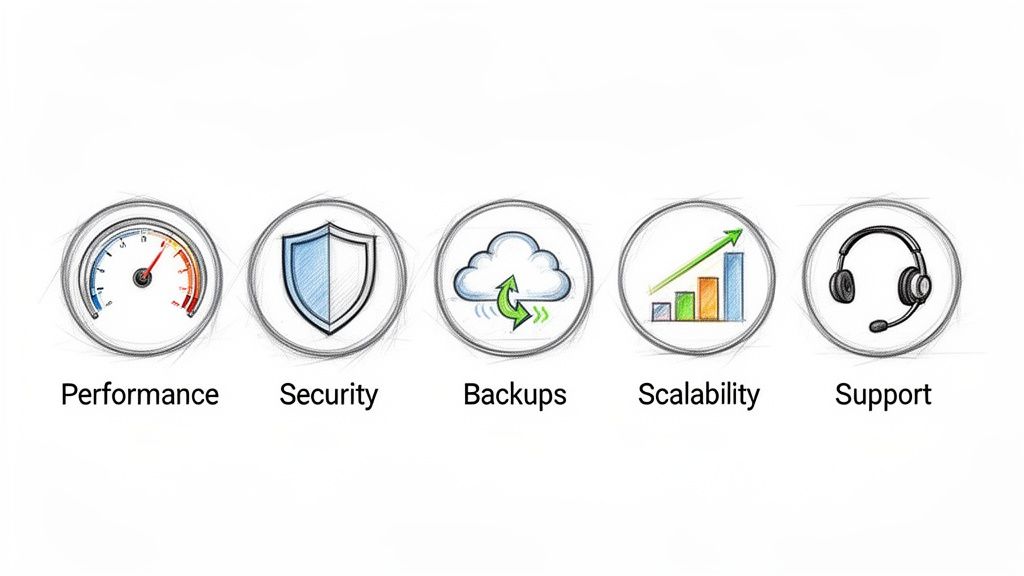
These five pillars—performance, security, backups, scalability, and support—are what separate a good host from a great one. If you know what to look for in each category, you can compare providers like a seasoned pro and find one that truly fits your needs.
Performance and Website Speed
Let’s be blunt: speed is everything. A slow website bleeds money. It drives away visitors, kills your conversion rates, and signals to Google that your site isn’t worth ranking. The data is clear: for every one-second delay in mobile page load, conversions can drop by as much as 20%.
Don’t fall for flashy “fastest hosting” claims. Look under the hood at the technology they’re actually using.
- Server Technology: You want hosts running modern stacks like Nginx or LiteSpeed. These are miles ahead of the older, slower Apache servers still used by some budget providers.
- Hardware Specs: Look for NVMe SSDs for storage—they are significantly faster than standard SSDs. Modern CPUs are also a must.
- Uptime Guarantee: For any serious business, a 99.9% uptime guarantee is the absolute minimum. Anything less is a major red flag.
A host that’s open about its tech stack is a good sign. If they’re cagey about these details, it’s often because they’re hiding outdated or underpowered hardware.
Security and Protection
A security breach is more than just a headache for a small business; it can be a death sentence. It can destroy your reputation and cost you a fortune. Your host is your first line of defense, and you need them to be proactive, not just reactive.
A solid host will offer a multi-layered security setup:
- Web Application Firewall (WAF): This is essential for filtering out malicious traffic before it ever gets a chance to hit your site.
- Malware Scanning: Automated, regular scans are non-negotiable for catching threats before they cause real damage.
- Free SSL Certificates: Every reputable host should offer free SSL via Let’s Encrypt. There’s simply no excuse not to have it.
- DDoS Protection: This is what keeps your site from being knocked offline by an attacker flooding your server with junk traffic.
A great host takes ownership of server-level security. This means you can focus on securing your actual WordPress site, knowing the foundation underneath it is rock-solid.
Backups and Disaster Recovery
No matter how tight your security is, things can go sideways. A plugin update gone wrong, a simple human mistake, or a determined hacker can wreak havoc. Your backups are your ultimate safety net, the one thing that can get you back online with minimal fuss.
When you’re looking at a host’s backup system, ask these questions:
- How often are backups taken? Daily automated backups are the bare minimum.
- How long are they kept? A retention window of at least 14-30 days gives you enough time to catch and fix an issue.
- How easy is it to restore? The best hosts offer a one-click restore feature. You shouldn’t need to call support to get your site back.
If a host charges extra for backups or makes restoration a complicated process, walk away. This is a core feature, not a premium add-on.
Scalability and Growth Potential
The hosting you need today probably won’t be the hosting you need next year. A viral post, a successful ad campaign, or a holiday sales rush can send a flood of traffic your way. Your host needs to be able to handle it without crashing.
Shared hosting is notoriously bad at this; you’re stuck with the resources you’re given. Cloud-based hosting, like a VPS or a managed cloud setup, is built for growth. These platforms let you add more CPU, RAM, and other resources on the fly, often without any downtime.
Picking a host that can grow with you saves you from a world of hurt later on. You won’t have to deal with a painful and expensive migration just because your business is succeeding.
Quality of Customer Support
You never appreciate good support until you desperately need it. When your site is down and every minute costs you money, a slow, clueless support team is infuriating.
Look for a support team that is:
- Available 24/7: Website problems don’t stick to a 9-to-5 schedule.
- WordPress Experts: You need people who understand WordPress deeply, not just generic server administration.
- Responsive: Check reviews and see what real customers say about response times. You want a team that gets back to you in minutes, not hours.
Think of excellent support as an insurance policy for your peace of mind. It’s what stands between a minor hiccup and a full-blown crisis.
Matching Your Business Needs to the Right Hosting
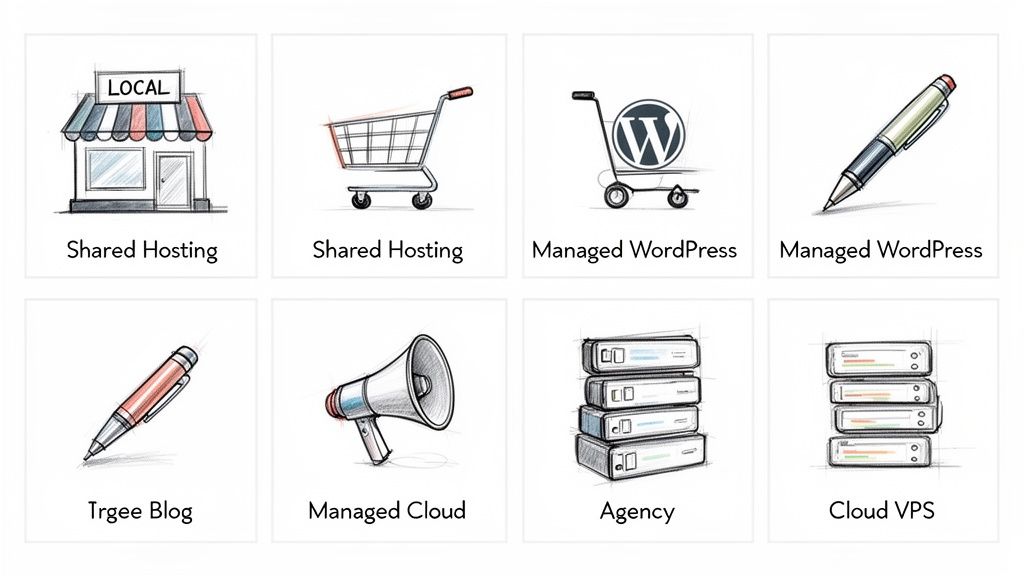
Knowing the difference between hosting types is a good start, but the real trick is matching that knowledge to what your business actually does day-to-day. The best WordPress hosting for a small business isn’t some universal solution; it’s the one that clicks with your goals, budget, and how much you want to mess with the technical side of things.
Let’s walk through a few common business scenarios. See which one sounds most like you, and you’ll be able to move from abstract comparisons to a practical, confident decision.
The Local Service Business
Think plumbers, electricians, landscapers, or local consultants. For these folks, a website is the digital storefront and lead machine. It’s there to show off services, build trust with reviews, and make it easy for people to get in touch. Uptime is everything—a down website means missed calls and lost business.
Performance matters, but you probably don’t need to plan for massive, viral traffic spikes.
- Primary Needs: Rock-solid uptime, a professional look, and a simple contact or booking system.
- Recommended Hosting: Managed WordPress Hosting.
This hits the sweet spot. You get the robust security and automated backups needed to protect your reputation, plus optimized performance so potential customers get a fast, smooth experience. Best of all, it frees you from the headache of technical maintenance so you can focus on your actual job.
The Growing E-commerce Store
If you’re selling anything online, whether it’s physical goods or digital downloads, the game changes. Every second of downtime is literally lost money. Security is non-negotiable for protecting customer data, and your site absolutely must handle traffic surges from sales or marketing campaigns.
Performance is directly tied to conversions. Even a one-second delay in page load time can tank your sales.
For an e-commerce business, hosting isn’t just an IT expense; it’s a core part of your sales infrastructure. Investing in speed and security is a direct investment in your bottom line.
You need a solution that’s powerful, secure, and ready for whatever your customers throw at it.
- Primary Needs: Top-tier security, excellent performance under load, and the ability to scale.
- Recommended Hosting: High-tier Managed WordPress or a Managed Cloud solution.
A premium managed host often comes with specific optimizations for WooCommerce and helps with PCI compliance. A managed cloud setup, on the other hand, gives you unbeatable scalability, so you never have to worry about crashing during a Black Friday rush. Both options take critical security and maintenance tasks off your plate, which is a lifesaver for a busy store owner.
The High-Traffic Content Blog
This is for the affiliate marketers, niche content creators, and online publishers out there. Your entire business model relies on attracting and keeping a large audience. Site speed is a massive SEO ranking factor, and a zippy user experience keeps readers clicking instead of bouncing. The site needs to serve thousands of visitors daily without breaking a sweat.
Once you’ve got the right host, getting your SEO dialed in is the next step. A good place to start is this detailed comparison of SEO All in One vs Yoast to make sure your content gets seen.
- Primary Needs: Blazing-fast page load times, an SEO-friendly setup, and the capacity for lots of simultaneous users.
- Recommended Hosting: Managed Cloud solution.
This is where a managed cloud approach really shines. It gives you the dedicated resources of a Cloud VPS to handle heavy traffic but without the sysadmin headaches. You can use a powerful server stack with optimized caching to get the speed advantage you need to rank well and give your readers a great experience.
The Agency or Freelancer
When you’re managing multiple websites for clients, your world revolves around efficiency, cost, and security. You need a system that lets you spin up new client sites quickly, manage everything from one place, and keep each site isolated so a problem on one doesn’t bring down the others.
Juggling dozens of separate hosting accounts is a fast track to burnout and lost profits. You need a central command center.
- Primary Needs: Multi-site management, cost control, site isolation, and easy deployment.
- Recommended Hosting: Managed Cloud via a control panel like WPJack.
This is the perfect use case for a modern cloud control panel. An agency can hook into an affordable cloud provider like DigitalOcean or Vultr and manage a whole portfolio of client sites from a single dashboard. This setup delivers the high performance of cloud servers at a fraction of the cost of buying individual managed plans, which is great for your workflow and your profit margins.
Leveraging Cloud Hosting Without Technical Headaches
What if you could tap into the raw power and scalability of a cloud VPS without ever having to touch a command line? This isn’t just a hypothetical anymore. A modern approach is opening the door for small businesses to get enterprise-grade infrastructure at a fraction of what traditional managed hosts charge.
This method completely bridges the gap between the simplicity of managed hosting and the pure performance of the cloud. It works by using a server control panel built specifically for WordPress, which sits like a user-friendly dashboard on top of powerful cloud providers like DigitalOcean, Vultr, or Hetzner.
Think of it this way: the cloud provider gives you a powerful, empty plot of land (your server). A tool like WPJack comes in and builds a perfect, move-in-ready WordPress house on it in just a few minutes. You get all the perks of owning your own property without having to lay the foundation or wire the electricity yourself.
Democratizing High-Performance Hosting
This new model is a game-changer for finding the best WordPress hosting for your small business. It puts you back in control, freeing you from the high costs and annoying limitations that often come with all-in-one managed providers. The whole idea is to separate your server from the software that manages it.
The benefits are huge:
- Serious Cost Savings: You pay the cloud provider directly for the server and a small, flat fee for the management panel. This often cuts your monthly hosting bill by 50-70% compared to a managed host offering similar resources.
- No Vendor Lock-In: Your website isn’t stuck with one hosting company. If you find a better deal or performance with another provider, you can switch from DigitalOcean to Vultr without a painful migration.
- Unbeatable Performance: You get dedicated cloud resources—CPU, RAM, and NVMe storage—that aren’t being shared with “noisy neighbors.” This means consistently faster load times and a much snappier WordPress admin experience.
This approach is truly democratizing high-performance hosting. It’s making top-tier infrastructure accessible and affordable for everyone, not just big companies with their own IT departments.
How a Modern Control Panel Simplifies Everything
The magic ingredient here is the control panel. Instead of a clunky cPanel interface loaded with options you’ll never touch, these modern WordPress panels are built for one job: running WordPress fast and securely. They handle all the complicated server tasks that would otherwise require a sysadmin.
Here’s a quick look at the WPJack control panel. You can see how simple it is to manage all your servers and sites from a single, clean dashboard.
This single view lets you see every server you’ve connected and every site you’re running, making management incredibly straightforward.
For a business owner who isn’t a tech expert, the process couldn’t be easier.
- Connect Your Cloud Account: You link your DigitalOcean or other provider account simply by pasting in an API key.
- Spin Up a Server: Pick a server size and location from a simple dropdown menu. The control panel then automatically provisions and secures a brand-new server optimized for WordPress, installing Nginx, PHP, and a database for you.
- Launch a WordPress Site: With a single click, you can install a fresh WordPress site on your new server. The system handles all the configuration, including a free SSL certificate.
A modern control panel hides all the server management complexity. Tasks that used to be a headache—like setting up a staging site, scheduling automated backups, or checking server logs—are now simple, one-click actions in a clean interface.
This means you can go from zero to a secure, high-performance WordPress site on a top-tier cloud server in under 15 minutes. It’s an incredibly powerful way to get full control over your hosting and slash costs, all without a steep learning curve.
If you’re thinking about using a provider like Amazon Web Services, our guide on how to host WordPress on AWS using Amazon Lightsail walks you through a very similar process. This hybrid approach is the future of flexible, powerful, and affordable WordPress hosting.
Answering Your WordPress Hosting Questions
Digging into the world of WordPress hosting can feel overwhelming. It feels like a critical choice because, well, it is. This section is designed to give you direct, no-fluff answers to the questions I hear most often from small business owners. My goal is to help you cut through the noise and make a decision you feel good about.
Think of this as your final gut-check before you commit. We’ll get practical about the real differences between hosting types, talk real numbers for budgeting, and clear up the technical side of things.
Is Shared Hosting Really That Bad for Business?
The honest answer? It depends on what you mean by “business.” If your website is basically an online brochure—something that doesn’t actively bring in leads or sales—then shared hosting is a totally fine place to start. It’s cheap and gets you online fast.
But the second your website becomes a core part of your sales process, the risks of shared hosting start to look a lot bigger than the savings. The “noisy neighbor” problem is very real. Another site on your server can hog all the resources, slowing your site to a crawl or even knocking it offline. For a business, that downtime means lost money and a hit to your reputation.
Shared hosting is like setting up shop in a building with sketchy wiring. The rent is a bargain, but you never know when the power will cut out during your busiest hour.
How Much Should I Realistically Budget for Good Hosting?
It’s tempting to go for the cheapest plan you can find, but solid hosting is an investment in your business’s stability and ability to grow. For a small business that depends on its website, a realistic budget for quality hosting should start somewhere in the $25 to $50 per month range.
This price point gets you out of the bargain bin and into the world of good Managed WordPress hosting or a solid Managed Cloud setup. At this level, you’re paying for a lot more than just server space. You’re paying for:
- Performance: Servers tuned specifically to make your site fly.
- Security: Active protection like firewalls and malware scans.
- Support: Access to people who actually know WordPress and can fix problems.
- Peace of Mind: Things like automated backups that just work.
Trying to save $15 a month on a cheap plan can easily cost you hundreds, if not thousands, in lost sales or emergency cleanup fees when things go wrong.
How Hard Is It to Move My Existing Website?
Migrating a WordPress site can be anything from a five-minute job to a multi-hour headache. It really depends on your current host, the size and complexity of your site, and what tools you have. Most managed hosts will handle the entire migration for you, either for free or a small fee. For most people, this is the safest and smartest route.
If you’re determined to do it yourself, plugins can make it much easier, but you can still run into issues like database errors, broken links, or unwanted downtime. Planning is everything. For a more detailed look, check out our guide on how to transfer your WordPress site to a new host, which includes a step-by-step checklist.
Do I Need to Be a Tech Expert for Cloud Hosting?
It used to be that way, yes. Firing up a server on a cloud provider like DigitalOcean or Vultr absolutely required you to be comfortable with the command line to get anything done. This tech barrier kept most small business owners paying a premium for traditional managed hosting.
That’s not the world we live in anymore. Modern server control panels have completely changed the game, providing a simple, point-and-click interface that handles all the complex server stuff for you. You can now launch a secure, high-performance cloud server and install WordPress in just a few minutes, with zero server administration knowledge needed.
Ready to get the raw power of cloud hosting without the technical headaches? WPJack gives you a simple, intuitive dashboard to manage high-performance WordPress sites on top-tier cloud providers. Stop overpaying for managed hosting and take control of your digital foundation today.
Discover how WPJack can save you time and money
Free Tier includes 1 server and 2 sites.