At its core, the difference between cloud hosting and VPS hosting is pretty straightforward. A Virtual Private Server (VPS) gives you a fixed slice of a single physical server. In contrast, cloud hosting taps into a distributed network of servers to run your site. The choice really boils down to whether you need predictable stability or on-demand flexibility.
Unpacking Your Hosting Options
Picking the right hosting is probably the most critical technical decision you'll make for your WordPress site. It's the foundation dictating your site's speed, reliability, and how well it handles traffic.
Think of a VPS like a private apartment in a big building—you get your own dedicated space and resources, and your neighbors can't touch them. Cloud hosting is more like a modern utility grid; you can draw as much power as you need from a vast, interconnected network, whenever you need it.
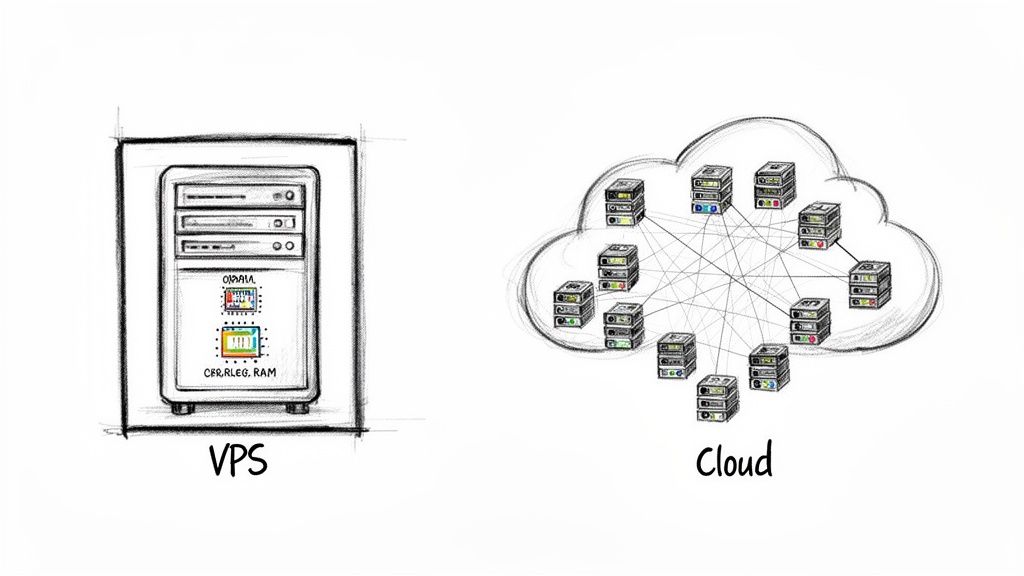
This guide is designed to get past the generic definitions. We're going to dig into the architectural differences, performance implications, and real-world situations that actually matter to people running WordPress sites.
Key Factors to Consider
Before we dive deep, ask yourself a few questions about your project:
- Traffic Patterns: Is your traffic steady month after month, or do you get slammed with unpredictable spikes during sales or marketing campaigns?
- Budgeting: Do you prefer a fixed, predictable monthly bill? Or would a flexible pay-as-you-go model that matches your actual usage make more sense?
- Scalability Needs: How fast do you expect to grow? Will you need to add more power instantly, or can you plan for upgrades ahead of time?
- Security Requirements: Beyond pure performance, having a solid security posture is non-negotiable. Building out a proper system security plan isn't just a good idea; it's a fundamental step in protecting your digital assets.
Cloud Hosting vs VPS Hosting at a Glance
For a quick overview, this table breaks down the core differences between the two hosting models. It’s a great starting point to frame your decision.
| Feature | VPS Hosting | Cloud Hosting |
|---|---|---|
| Architecture | A partitioned section of a single physical server. | A network of multiple interconnected servers. |
| Performance | Stable and predictable, with guaranteed resources. | Dynamic and can handle sudden traffic surges with ease. |
| Scalability | Vertical (upgrade your plan for more resources on one box). | Horizontal & Vertical (add more servers or resources instantly). |
| Pricing | Fixed monthly or annual fee. | Pay-as-you-go based on actual resource consumption. |
| Redundancy | Limited to the single physical server it lives on. | High availability with automatic failover across the network. |
This snapshot gives you a high-level view, but the real devil is in the details. Let's explore how these differences play out in the real world.
A Look Inside Cloud Hosting Architecture
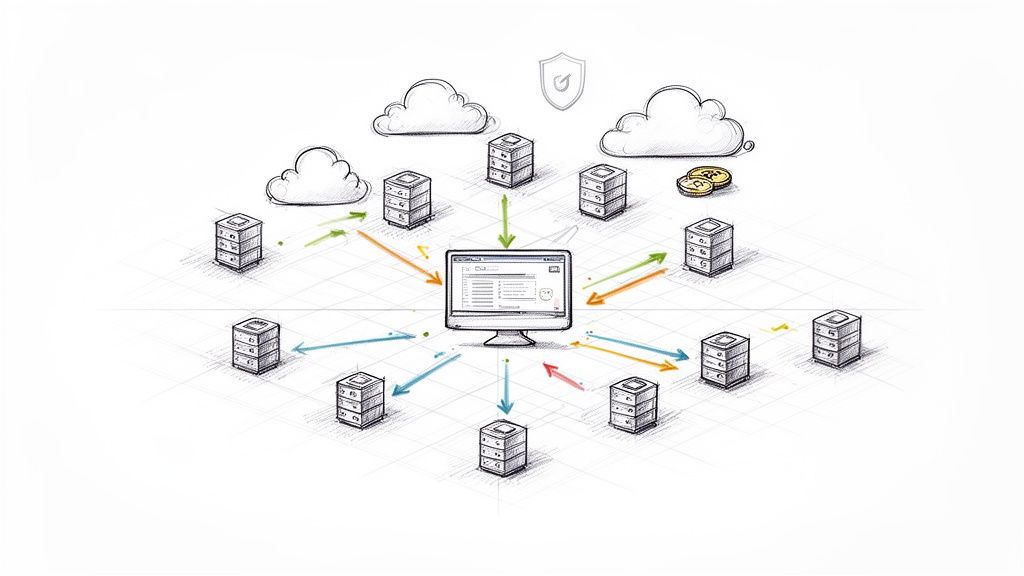
Cloud hosting isn't like traditional hosting where your site lives on one single machine. Instead, your website’s data gets spread across a massive, interconnected network of physical servers, often located in different data centers. This distributed approach is what gives it such impressive resilience and flexibility.
Think of it as a team effort. If one server in the network goes down or gets overloaded, another one instantly steps in to pick up the slack. Your website stays online and running smoothly without you having to lift a finger. This built-in redundancy delivers a level of high availability that's incredibly difficult and expensive to replicate with a single server.
This model has completely taken over the industry. Cloud hosting is now the biggest money-maker in web hosting, and by 2025, it's expected to account for 61% of all hosting market revenue. This growth is dominated by the giants—AWS, Microsoft Azure, and Google Cloud—who control a huge piece of the market.
The Magic of On-Demand Scalability
One of the best things about cloud architecture is how easily it scales on demand. Your resources—CPU, RAM, and storage—aren't stuck on a single machine. They’re part of a massive, shared pool that can be assigned to your site the moment you need them.
This is a game-changer for sites with unpredictable traffic. Just imagine:
- An e-commerce store launches a flash sale and gets 10x its normal traffic for a few hours.
- A blog post goes viral on social media, sending a massive wave of new visitors.
- A new SaaS app takes off after a successful marketing push.
In every case, a cloud setup can automatically scale up to handle the spike and then scale right back down when things quiet down. This elasticity keeps your site fast during peak moments without forcing you to pay for powerful hardware that sits idle most of the time. Our guide on how to host WordPress on Hetzner Cloud gives you a real-world look at how this works with a popular cloud provider.
The real value of cloud hosting isn't just about having more power. It's about having the exact right amount of power at the exact right time, without paying for resources you're not using.
How Pay-As-You-Go Pricing Works
This dynamic resource management is tied directly to the cloud's pay-as-you-go pricing model. You’re not paying a flat monthly fee like you would for a VPS. Instead, your bill is based on what you actually use, often measured by the hour or even by the minute.
This can be incredibly cost-effective, but it also means your budget can be a bit unpredictable. A sudden, long-lasting traffic surge can lead to a surprisingly high bill. For businesses where uptime and performance are everything, though, this is a fair trade. You know you'll never hit a resource limit that could take your site offline during a critical moment of growth.
Demystifying VPS Hosting for Predictable Performance
If cloud hosting is all about flexible, distributed power, then Virtual Private Server (VPS) hosting is its disciplined cousin, focused on providing an isolated, powerful, and predictable home for your website.
Think of a massive, high-performance physical server. A VPS is born when that server is neatly sliced into several independent virtual machines using virtualization tech.
Each slice acts like its own private server, with a guaranteed chunk of CPU, RAM, and storage. This is a huge deal. Unlike shared hosting, your site's performance won't tank just because another user on the same physical machine has a sudden traffic spike. Your resources are yours, period.
This makes a VPS the logical next step when you’ve pushed the limits of shared hosting. It hits the sweet spot between control, security, and solid performance, all at a price that won’t break the bank.
The Power of Predictable Billing
One of the biggest draws of a VPS is how simple the billing is. You pay a flat monthly or yearly fee for a specific resource package. For freelancers, agencies, and anyone working with a set budget, this is a massive relief.
No nasty surprises at the end of the month. You know exactly what your hosting bill will be, which kills the anxiety of getting hit with a huge invoice after a blog post goes viral. This financial stability is a key differentiator when you're looking at cloud hosting vs VPS hosting, where the pay-as-you-go model can be a rollercoaster.
A VPS offers the perfect balance of power and predictability. It's the go-to solution for businesses that need dedicated resources and full control without the complexity and higher cost of a dedicated server or the variable billing of the cloud.
Control and Customization at Your Fingertips
The real magic of a VPS is the control it hands you. Most plans from providers like DigitalOcean or Linode give you root access, which is the key to the kingdom. You have total administrative power over your virtual server, letting you customize just about anything.
With root access, you can:
- Install Custom Software: Need a specific PHP version, a different database, or a unique application? No problem. You’re free to install whatever you need.
- Fine-Tune Configurations: You can tweak server settings directly—like adjusting PHP memory limits or optimizing your web server—to squeeze every last drop of performance out of your setup.
- Enhance Security: Want to lock things down your way? Go ahead. Implement your own firewalls, security rules, and monitoring tools to build a fortress.
This level of control is non-negotiable for developers and agencies building specific, high-performance WordPress sites. But with great power comes great responsibility; you're in charge of keeping the server healthy. You can read our guide on VM performance monitoring to get a handle on what’s involved.
The VPS market has become a serious player, now holding 10.3% of the web hosting market and powering over 24 million websites. It's a solid choice for small and medium-sized businesses, with the market expected to hit around $6.4 billion by 2026. You can dig into more of these web hosting statistics on diviflash.com. This isn't just a niche product; it's a proven, reliable hosting solution.
Comparing Architecture, Performance, and Scalability
This is where the real differences between cloud and VPS hosting start to show. The way they're built from the ground up directly impacts your site's speed, stability, and how it handles growth. Nailing this part of the cloud hosting vs VPS hosting debate is crucial.
Think of a VPS as a slice of a single, beefy physical server. It’s like owning a condo in a high-rise—you get your own dedicated space with guaranteed resources (CPU, RAM, storage) that your neighbors can’t touch. This isolation is its biggest architectural advantage, giving you predictable performance day in and day out.
Cloud hosting works on a totally different model. It pulls resources from a massive, interconnected network of servers. Your website isn't stuck on one machine; it exists as a flexible instance that can grab resources from anywhere in the network. This creates an incredibly resilient and distributed setup.
Performance Under Pressure
When we talk performance, the question isn't "which is faster?" but rather "which is right for my traffic?" A VPS gives you rock-solid consistency. Since your resources are dedicated, you get the same performance whether it's 3 AM on a Tuesday or the middle of your biggest Black Friday sale.
This predictable power is perfect for sites with stable, foreseeable traffic—think B2B service websites, online portfolios, or established blogs with a steady readership. You know exactly what you’re getting, which makes performance monitoring and planning a breeze.
Cloud hosting shines in a different arena: handling chaos. Its architecture is built for elasticity, letting it instantly assign more resources during unexpected traffic spikes. If a blog post goes viral or a marketing campaign blows up, the cloud infrastructure automatically scales to absorb the load, keeping your site from slowing down or crashing.
Key Differentiator: VPS hosting delivers consistent, predictable performance with guaranteed, fixed resources. Cloud hosting offers dynamic, elastic performance, scaling resources up or down to match real-time traffic.
This flexibility is a lifesaver for e-commerce stores, news sites, or any project where traffic is spiky and unpredictable. You only pay for the extra resources when you need them, ensuring a smooth user experience during peak times without overpaying for idle capacity.
Understanding Scalability: Vertical vs. Horizontal
Scalability is where the architectural split between VPS and cloud becomes crystal clear, and it’s a make-or-break factor for any growing WordPress site. They grow in completely different ways.
A VPS primarily scales vertically. When you need more power, you upgrade your plan to get a bigger slice of the same server—more CPU cores, more RAM, more storage. It’s like moving from a one-bedroom condo to a two-bedroom in the same building. This process usually requires a scheduled reboot, which means a bit of downtime.
Cloud hosting, on the other hand, excels at both vertical and horizontal scaling. You can instantly add more RAM or CPU (vertical), but its real magic is in adding more server instances to distribute the load (horizontal). This is like adding more condos to your portfolio instead of just making one bigger. Since the system is distributed, you can add or remove resources with zero downtime. We dive deeper into this in our guide on VM auto-scaling concepts.
The choice between vertical and horizontal scaling really comes down to your growth plans. If you expect steady, predictable growth, the vertical scaling of a VPS is often more than enough. But if you need to handle sudden, massive traffic spikes or require 100% availability even while scaling, the horizontal model of cloud hosting is hands-down the winner.
For a deeper dive into how the big cloud providers stack up, this Azure vs AWS comparison guide offers some great insights into their services, pricing, and security models. It really shows how they use their massive architectures to compete.
Detailed Feature Comparison: Cloud vs VPS
To make things even clearer, let's break down the key differences in a table. This isn't just about features; it's about how each choice impacts the day-to-day management of your WordPress site.
| Aspect | VPS Hosting (e.g., DigitalOcean, Linode) | Cloud Hosting (e.g., AWS, Google Cloud) |
|---|---|---|
| Core Architecture | A partitioned section of a single physical server. | A distributed network of multiple interconnected servers. |
| Resource Allocation | Fixed and dedicated. You get a guaranteed amount of CPU, RAM, and storage. | Flexible and on-demand. Resources are pulled from a shared pool as needed. |
| Performance Model | Consistent and predictable. Ideal for stable traffic. | Elastic and dynamic. Perfect for handling traffic spikes. |
| Scalability Method | Primarily vertical (upgrade to a bigger plan). Often requires a reboot. | Vertical and horizontal. Add resources or servers with zero downtime. |
| Redundancy | Limited to the single physical server. A hardware failure can cause downtime. | High availability by design. If one server fails, another takes over seamlessly. |
| Pricing Structure | Fixed monthly cost. Predictable billing. | Pay-as-you-go. You pay only for what you use, but costs can fluctuate. |
| Management | Generally simpler. Fewer moving parts to manage. | More complex. Requires knowledge of load balancing, auto-scaling, etc. |
Ultimately, the table highlights the core trade-off: a VPS offers simplicity and predictability, while the cloud provides unmatched flexibility and resilience. Your choice depends entirely on what your project needs today—and what it might need tomorrow.
Real-World Scenarios: When to Choose Cloud or VPS
All the theory is great, but the real test in the cloud hosting vs VPS hosting debate is seeing how each one holds up in the wild. Your choice really boils down to your specific project, your budget, and how comfortable you are getting your hands dirty with server management.
To make things more concrete, let's walk through a few common situations. We'll look at what different types of users actually need and figure out which hosting model makes the most sense.
The Freelance Developer Juggling Client Sites
Picture a freelance developer who manages 10-15 small business WordPress sites. The traffic for these sites is pretty stable—no major spikes, just predictable monthly visitors. The big concerns here are keeping costs down, making management easy, and keeping each client's site totally separate so a problem on one site doesn't bleed over to another.
For this kind of setup, a VPS is the clear winner.
Here’s the breakdown:
- Predictable Costs: A VPS comes with a flat monthly fee. This is perfect for a freelancer who needs to roll hosting costs into a client retainer. No one wants to send a surprise invoice because a client's blog post got a little extra attention.
- Resource Isolation: You can set up each client site in its own container on the server. This is a huge deal for security and stability.
- Sufficient Power: A decent VPS has more than enough horsepower to run a bunch of low-traffic WordPress sites smoothly.
A developer could easily use a tool like WPJack to spin up and manage all these client sites on a single VPS from a provider like DigitalOcean or Vultr. That gives you the low cost of a VPS but with a simple control panel, so you don't have to live on the command line.
This flowchart really simplifies the decision based on your traffic patterns.
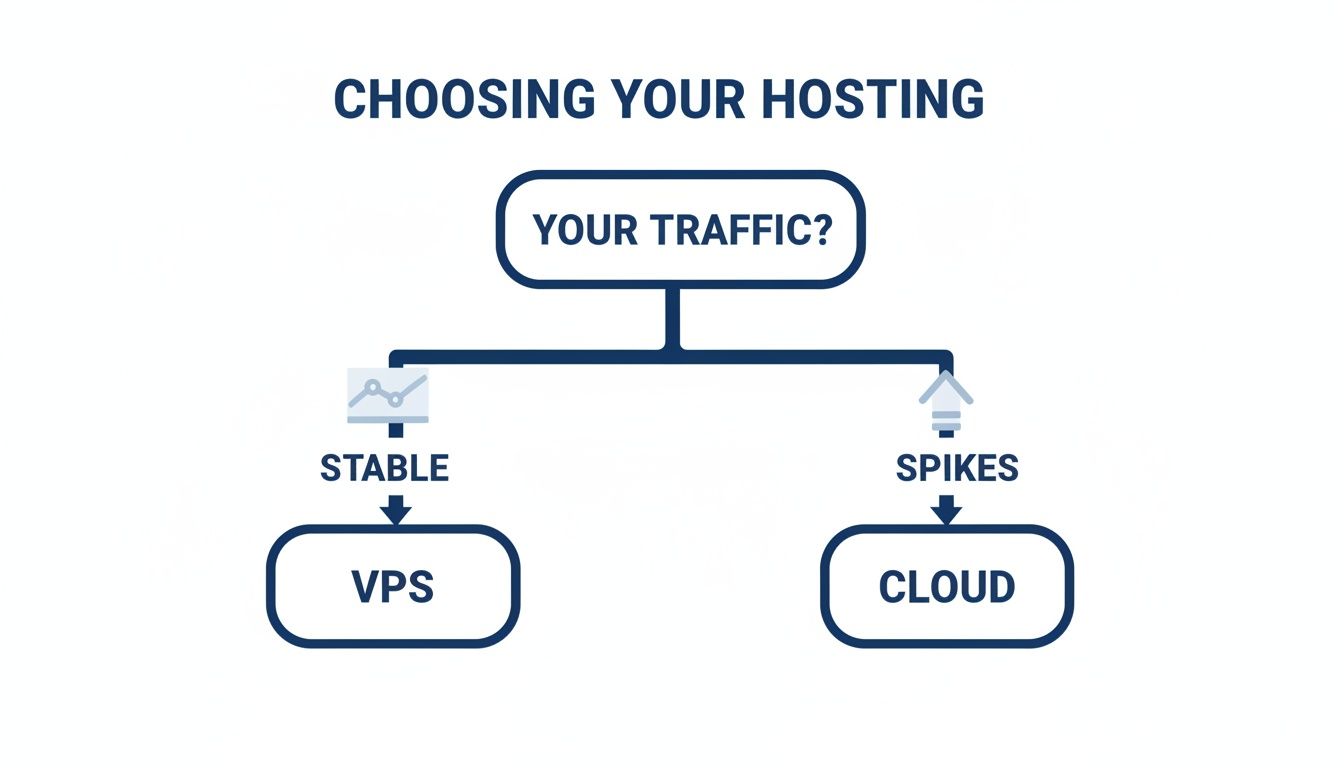
As you can see, if your traffic is steady, a VPS gives you that predictable performance. If it's all over the place, cloud hosting is built for the chaos.
The Growing E-Commerce Store
Now, let's think about an online store with wild traffic swings. Day-to-day traffic is fine, but during a Black Friday sale or after a viral marketing push, it can jump by 500%. Here, the absolute top priorities are uptime and speed. Every minute the site is down or lagging costs real money—potentially thousands of dollars in lost sales.
In a high-stakes game like this, cloud hosting is the only real option. The ability to scale up automatically isn't just a nice-to-have; it's essential.
A VPS would simply fall over under a massive, sudden traffic spike. Its fixed resources would be maxed out in an instant. Cloud hosting is literally designed for this exact problem, spreading the load across its network to keep everything running.
The pay-as-you-go model is also a perfect match. The store pays more during those short, intense sales periods but drops back to a much lower cost for the rest of the year. This way, server costs are directly tied to when the business is actually making the most money.
The Startup Launching a New App
Finally, imagine a tech startup launching a brand-new web app. They have no idea if it's going to be a dud or the next big thing. Their initial budget is tight, but they need to be ready for explosive growth if the app takes off. The last thing they want is to have to do a complicated server migration right when they're gaining momentum.
This is a classic use case for cloud hosting.
A startup can launch on a tiny cloud instance, keeping those initial costs super low. As more users sign on, they can add more RAM and CPU or even spin up more instances on the fly, all without any downtime. That kind of flexibility is priceless when you can't predict next month's demand. Going with a VPS from the start would mean betting they won't outgrow it, a risky move for any ambitious new venture.
Simplifying Server Management with WPJack
Choosing between cloud and VPS hosting reveals a hidden challenge that trips up a lot of people: the management overhead. Both options hand you raw, unmanaged server power, which sounds great until you realize you're on the hook for setup, security, updates, and troubleshooting. At that point, the debate stops being about architecture and starts being about your workflow and sanity.
This isn't a small problem. If you run an agency juggling multiple client sites or you're an entrepreneur who needs to focus on growing the business, spending hours on a command line isn't just a poor use of time—it's a roadblock. The deep technical know-how required often leads to simple mistakes, security holes, and the kind of downtime that makes your stomach drop.
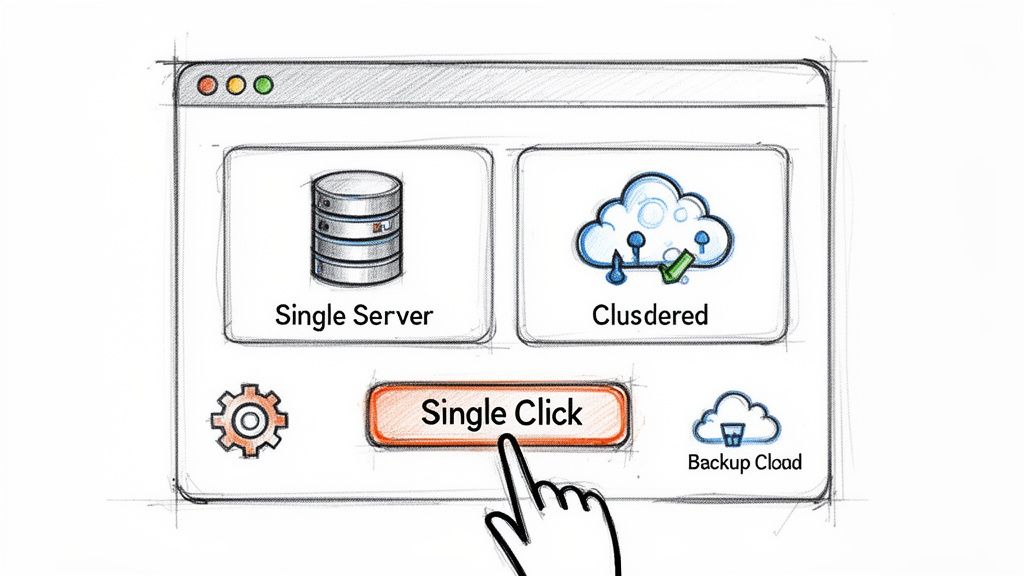
This is exactly why I built WPJack. It’s a universal control panel that sits on top of whatever hosting provider you choose, taking all the command-line headaches off your plate. Whether you spin up a VPS from Vultr or a cloud server from DigitalOcean, WPJack gives you one clean, simple dashboard to run everything.
Unifying Your Hosting Under One Roof
One of the best things about WPJack is that it frees you from vendor lock-in. You can connect accounts from multiple providers—like DigitalOcean, Linode, Hetzner, and Vultr—all at the same time. This means you can pick the absolute best server for each project based on price, location, or performance, and manage them all from one familiar place.
This approach completely changes how you manage servers and sites. Instead of wrestling with a half-dozen different control panels and APIs, your team gets a single, standardized workflow for everything.
With WPJack, you can handle the important stuff with just a few clicks:
- Provision New Servers: Automatically set up and configure new servers with a fully optimized stack (Nginx, PHP, MariaDB, Redis) in minutes.
- Deploy WordPress Sites: Launch a brand new WordPress site on any server you've connected in less than 10 seconds.
- Automate Backups: Set up regular, reliable backups for all your sites to secure, off-site storage and forget about them.
- Monitor Performance: Keep tabs on server health and resource usage right from your dashboard.
- Manage SSL and Security: Easily issue and renew free Let's Encrypt SSL certificates for every single site.
Centralizing all this dramatically reduces the need to have a dedicated sysadmin on call, which is a huge win for both your time and your budget.
By taking care of the technical layer, WPJack makes powerful, unmanaged hosting something anyone can use. It closes the gap between raw server power and a friendly interface, letting you focus on building great websites instead of fighting with infrastructure.
Making Advanced Hosting Accessible
The old way of using a VPS or cloud server meant you had to get comfortable with a steep learning curve. You were expected to know your way around SSH, server hardening, software installation, and all the ongoing maintenance. WPJack just gets rid of those barriers.
For someone who isn't a tech expert, this means you can confidently launch a high-performance WordPress site without ever touching a terminal. For a dev agency, it means you can standardize your hosting stack across all clients, tighten up security, and get new team members up to speed in no time. The platform handles the best practices for you, from isolating each site to optimizing server configurations from the get-go.
Ultimately, WPJack changes the question from "Which hosting is easier to manage?" to "Which hosting is right for my project?" It lets you focus on what really matters—performance, scalability, and cost—knowing that a simple, powerful tool has your back on the day-to-day stuff.
Frequently Asked Questions
When you're weighing cloud hosting against a VPS, a few specific questions always pop up. Let's get them answered so you can make the right call.
Which Is More Secure, a VPS or Cloud Hosting?
This is a classic "it depends" situation. Security isn't something you buy; it's something you build. A VPS gives you a predictable, self-contained environment. Thanks to resource isolation, what another user does on the same physical machine won't spill over into your server. You have a clear box to defend, and you're in complete control of it.
Cloud hosting, on the other hand, is a different beast. Big providers like AWS or Google Cloud spend billions on security, offering incredibly sophisticated tools for firewalls, access control, and threat detection. The catch? It's on you to use them correctly. The potential for robust security is massive, but so is the potential for misconfiguration.
Ultimately, a locked-down VPS is way more secure than a wide-open cloud server. The reverse is also true. Neither one is secure out of the box; it all comes down to how you manage it.
Can I Move From a VPS to The Cloud Later On?
Absolutely. This is a super common move for sites that are taking off. You start with a predictable VPS, and when your needs outgrow it, you migrate to a cloud environment. The basic process involves moving your site's files, databases, and various configurations over to the new cloud server.
The main reason people make this jump is scalability. A VPS has a hard ceiling on its resources. When your traffic becomes unpredictable, the cloud's ability to provide resources on demand is no longer a luxury—it's a necessity.
You can definitely do the migration manually if you have the technical chops, but it's tricky to pull off without causing downtime or losing data. This is exactly why a tool like WPJack exists. It gives you a simple dashboard to move your WordPress sites between different servers and providers without needing to touch the command line.
Is a VPS Powerful Enough For a Busy E-commerce Site?
It can be, but there's a big "if" attached. A VPS is a great, cost-effective choice for an e-commerce store with predictable and stable traffic. If you have a steady flow of customers and your growth is consistent, a powerful VPS can handle the load just fine.
The problem comes with volatility. Think flash sales, Black Friday deals, or a product suddenly going viral. These events cause huge, unpredictable traffic spikes that can easily overwhelm the fixed resources of a VPS. Your site will slow down or crash right when you're supposed to be making the most money. For any store with spiky traffic patterns, cloud hosting is the much safer option.
Ready to take control of your WordPress hosting without the command-line headaches? WPJack provides a unified dashboard to manage your servers across any provider, simplifying deployments, backups, and security. Get started for free and see how easy server management can be.
Free Tier includes 1 server and 2 sites.